Gearing Up for SXSW

I’ve only got a week to go before I leave for Austin.  As I mentioned, I’ve got the iMedia Brand Summit for a few days prior to the SXSW activities starting up.  That means I’ll be spending this weekend tracking down last minute items for my trip.  I’ve already purchased a few things, but here’s my list of gear and gadgets I’m prepping for my marathon of technology and social media:
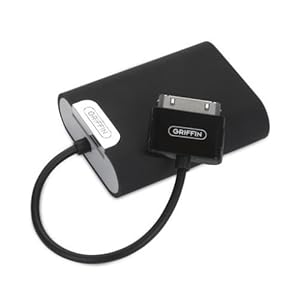
Tunejuice by Griffin iPhone portable battery

Extended laptop battery – I recently replaced the battery on my laptop, and surprisingly, the cost wasn’t too bad. However, the 6-cell battery would only get me about 2.5 hours of power before I had to plug in.  So, I managed to find a 12-cell battery that would fit my laptop that can get me through a couple SXSW sessions before I need to plug in.

Griffin TuneJuice 2 Battery Backup for iPod – Even though I’ll use my laptop quite a bit, my iPhone will get a ton of use as well.  Especially since it’ll probably spend 1/3 of its time searching for a signal with the 15,000 other iPhones within a half mile radius.  It takes 4 AAA batteries, which should be easy to find should I run out of juice.
Product Details

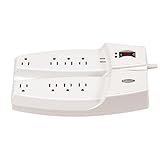
Dual Power Strip – I actually brought this with me last year, and I can’t tell you the number of friends I would make in each session when I pulled it out.  In every ballroom people were gathered around the outlets.  Most people didn’t mind letting me plug in so we could all share the power.  The only bad thing is when I would get set up and realize about 5 minutes into the session that it sucked and I wanted to bail.  Unfortunately, I’d have to literally pull the plug on 6-7 people. However, most seemed to understand and were just happy to get 5 minutes worth of recharging time.

Verizon Air Card – While the wifi wasn’t bad last year, it would go in and out on me sporatically, so I learned not to count on it.  At least with the air card, I pretty much knew I could get a signal, even if it was a little slower than the wifi.  I’m just hoping that all those new Verizon iPhones won’t bog down the network too bad.

Joby Gorillamobile for iPhone 4Joby Gorillamobile for iPhone 4 – I’m planning to shoot a whole lot more photos and video this year, now that I’ve got the iPhone 4.  However, when I have shot video, I’ve noticed how shakey the video has been.  I just got this little device which can sit and grip while holding my phone will help me produce some decent video from SXSW.

Not necessarily gear, but necessary in your gear – Here’s a list of a few things I’d recommend having on hand in your backpack or slingbag: asprin, bottle for water, snacks (granola bars), 5 Hour Energy, business cards, power cords, pen & paper, a mouse, sunglasses, and memory cards.

Let me know in the comments what other gear you are bringing or recommend for SXSW.

SXSW App Now Available

SXSW iPhone App

A week or so ago, I posted about the apps I’m planning to use at SXSW. One of the most important apps I used last year, and will use this year, wasn’t yet released. However, today I noticed the official SXSW app has been released (for the iPhone). Called “SXSW Go,” it contains a list of all of the SXSW events and activities (including your customized schedule), a map of the locations of all of the activities, trade show information, and links to SXSW social media sites. I would definitely include this in the must-have apps for SXSW. This will come in particularly helpful when you find yourself shut out of a session you wanted to attend due to the large crowds, and then you have to scramble to find a new one.

Also available on Android and iPad.


iMedia Brand Summit and SXSWi

iMedia Brand SummitI found out that I will also be attending the iMedia Brand Summit in Lost Pines, Texas (just outside of Austin), right before SXSW. This will take place March 5-9, and I will head downtown for SXSW from March 10-16. Since this conference will be part of the same trip for me, and the content still relates to topics covered at SXSW, I’m planning to cover it here as well.

The conference will cover “Corporate Storytelling Beyond Advertising,” and will feature speakers from Victors & Spoils, McKinsey & Company, Microsoft, and IBM. The materials say, “As consumers look for experiences through whatever channel is most convenient, marketers must find a way to deliver our stories across a variety of devices and create the kinds of content our targets want to consume.”

Here’s more on the iMedia Brand Summit – Corporate Storytelling Beyond Advertising if you’re interested.

Apps I’m Planning to Use at SXSW

As I’ve been preparing for SXSW, I’ve been getting things ready, including my iPhone.  Along with making sure I’ve got an extra battery pack, chargers, etc., I’ve been organizing my phone based on the apps I’m planning to use:

Twitter app Twitter – Last year, every session had a hashtag, so I could almost follow a couple sessions at once just by knowing the hashtag of the sessions.  It also alerted me to activities, events, and allowed me to meet people who I followed.  This will be an essential app for this year.
Wordpress app WordPress – As you can tell (by this blog), I’ll be blogging again live from SXSW.  This app is great for quick photo/video uploads, posts, and edits to my blog.  It’ll also be essential for keeping this blog going.
Dragon Dictation App Dragon Dictation – You speak it, and it dictates what you just said.  It’s fairly accurate, and it’s a very quick and easy way to jot down my thoughts.  Whether it’s a blog post that I simply want to dictate, or a tweet or status update, this app will do it.
iphone camera app Camera – There’s plenty of stuff to take in at SXSW, and the camera on the iPhone 4 was the reason I upgraded.  The pictures are great quality, and I’ve got an HD video camera in my pocket.  I’m planning on taking and posting a whole lot more pics and video this year, so watch here.
Foursquare Foursquare – It’s hard to believe at SXSW last year, Foursquare only had a half million users.  It was the first time I really saw the power of Foursquare – when I could look and see where my new friends were, as well as what venues were kickin.  With over 5 million users, I’m certain it will be even bigger than last year.
Gowalla Gowalla – Almost exactly the same reason as I chose Foursquare with one addition – virtual items.  Last year Adobe partnered with Gowalla and was dropping copies of CS4 that could be traded for real copies.  I didn’t find one, but I did find an “ice ball” which was good for a sample of The Macallen at a party, as well as a VIP wristband for the Gowalla party.
SCVNGR at SXSW SCVNGR – Staying in the location based area, this is one I’ve been using since last SXSW, but I have a feeling this one will take off this year, as Seth Priebatsch, the “Chief Ninja” of SCVNGR is one of the keynote speakers this year.  I’d be surprised if they didn’t have some sort of SXSW event tie-in.
Beluga app Beluga – Unlike many, I don’t have an unlimited text package, so I was searching for a service that would let me connect with my friends at SXSW without running up a big texting bill.  This seems to be the solution for that.  It should help us keep track of each other in real time and give updates about which sessions suck and with ones rawk.
Skype app Skype – Unfortunately, like last year, I’m missing my daughter’s birthday to be at SXSW.  So, I’ll be using Skype to check in with my kids and wife and see how they’re doing.  Let’s just pray the wifi at SXSW can hold up for decent video.
i-nigma qr code reader i-nigma – Other than the QR codes on the badges, I didn’t see many of them last year.  However, this year, I suspect there will be hundreds of QR codes directing me to new apps, parties, etc.  While there are a ton of QR code readers out there, I find this one to be the simplest.

While there are many more apps I’m planning to use, I’m thinking these will be the ones I use several times a day.  Are there any apps you’re planning to use while at SXSW?  Any recommendations for me, let’s hear ’em…